
Bidding has always been exciting, but traditional auctions can feel complicated and time-consuming. That’s where the Flash Auction by Nexlerate comes in. This smart online auction platform brings the thrill of live bidding to your screen—fast, transparent, and easy to use. Whether you want to create online auctions on Shopify or participate as a bidder, FlashAuction makes the process seamless.
Let’s walk through the main features of the FlashAuction app dashboard and explore how each section works.
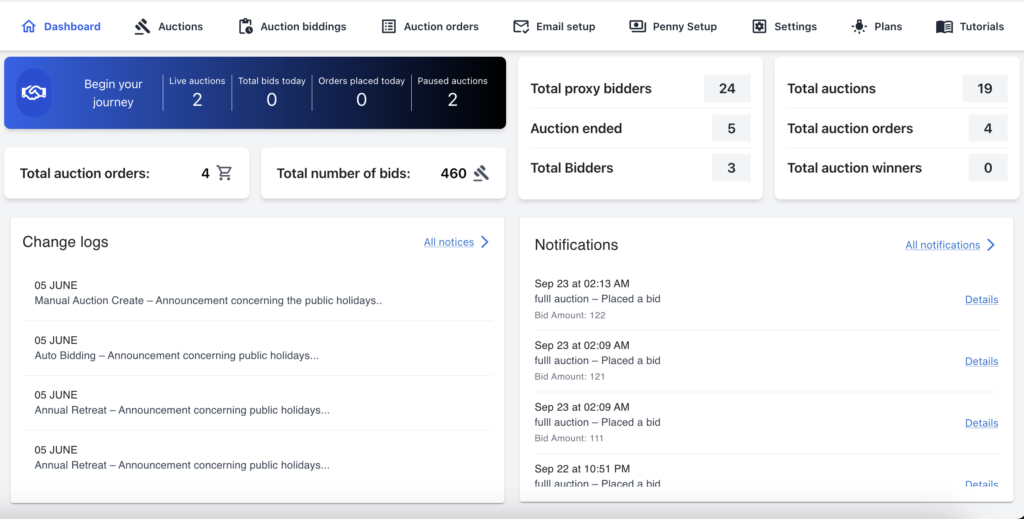
Dashboard – Your Auction Command Center
The dashboard is the first screen you see after logging in. It provides a quick overview of ongoing auctions, upcoming schedules, and your past activity. For auction creators, the dashboard also connects to backend auction orders, making it simple to track and manage auction performance
Auctions – Create and Manage with Ease
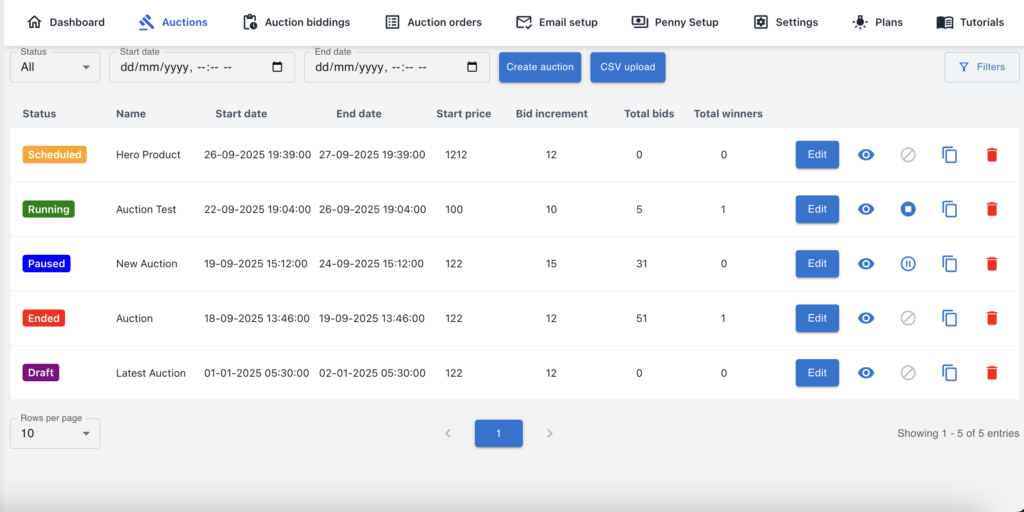
In the Auctions section, you can set up your own auctions for bidding. This includes advanced options such as:
- Auction settings – Recurring and rule-based.
- Bidding settings – Define rules for bids.
- Proxy bidding – Automate bidding on behalf of users.
- Popcorn settings – Extend time to avoid last-second sniping.
- Buyout price – Let users purchase instantly if they choose.
Each auction clearly shows its status—Scheduled, Running, Completed, or Ended—so everything is transparent and easy to follow.
Auction Bidding – The Real-Time Thrill
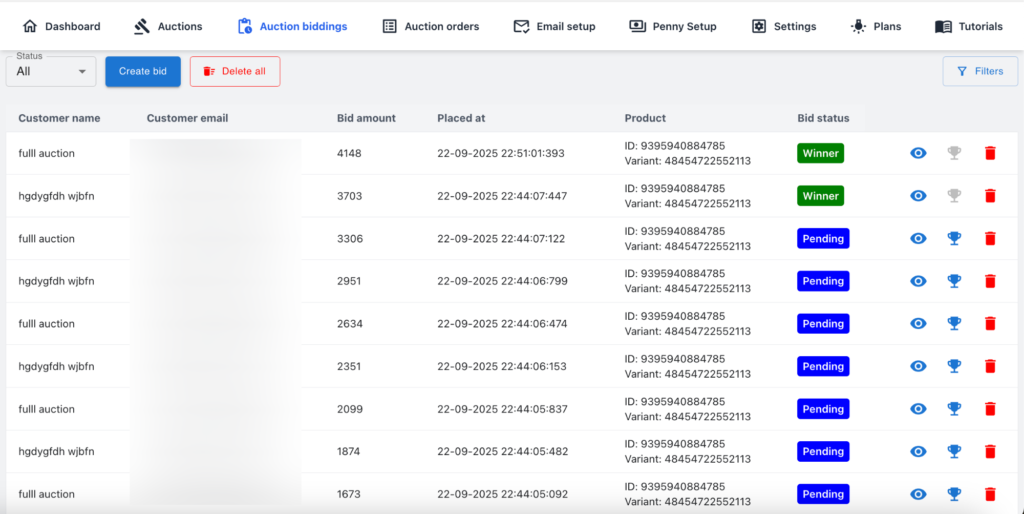
The real-time bidding feature keeps the energy of auctions alive. Users can place bids instantly, see live updates, and receive alerts when outbid. Proxy bidding ensures fair competition even if a bidder is not online. This creates an engaging live auction experience for all participants. Admin can also create a Bid from the backend.
Auction Orders – Backend Tracking
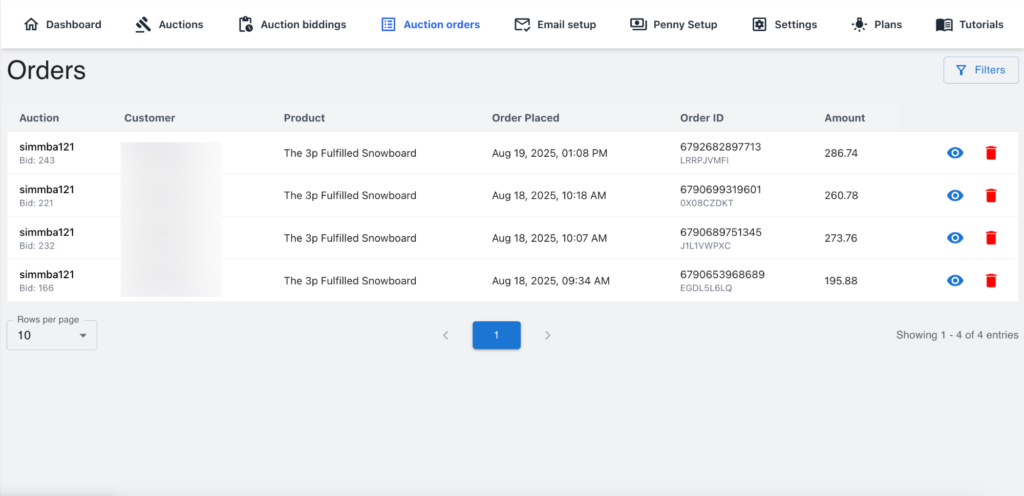
The Auction Orders section allows auction creators to view and manage all orders generated from their auctions. It helps track details of buyers, confirm sales, and manage transactions smoothly within the system.
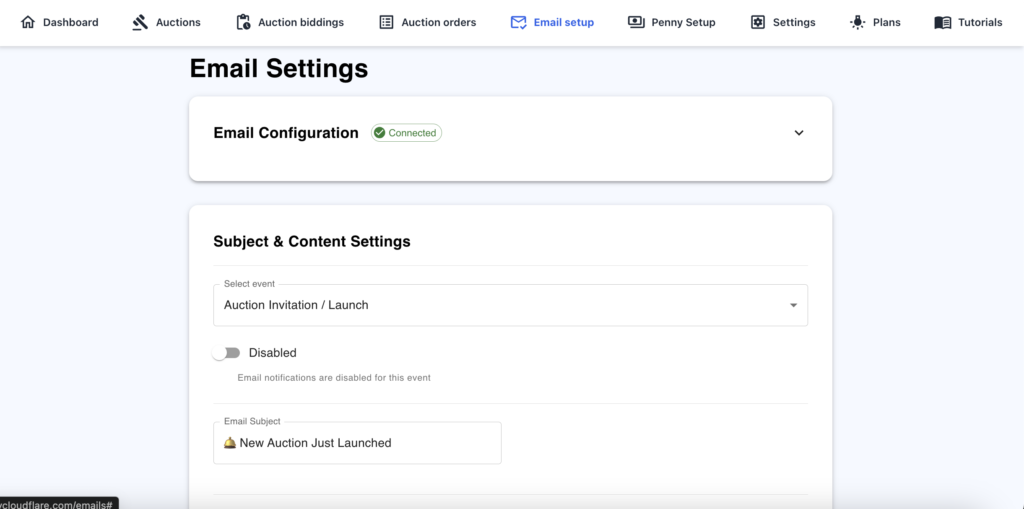
Email Setup – Instant Auction Notifications
With the auction email notifications feature, users receive timely updates about auction activity. From new auction announcements to bid alerts and winning confirmations, everything is delivered directly to their inbox, ensuring they never miss an update.
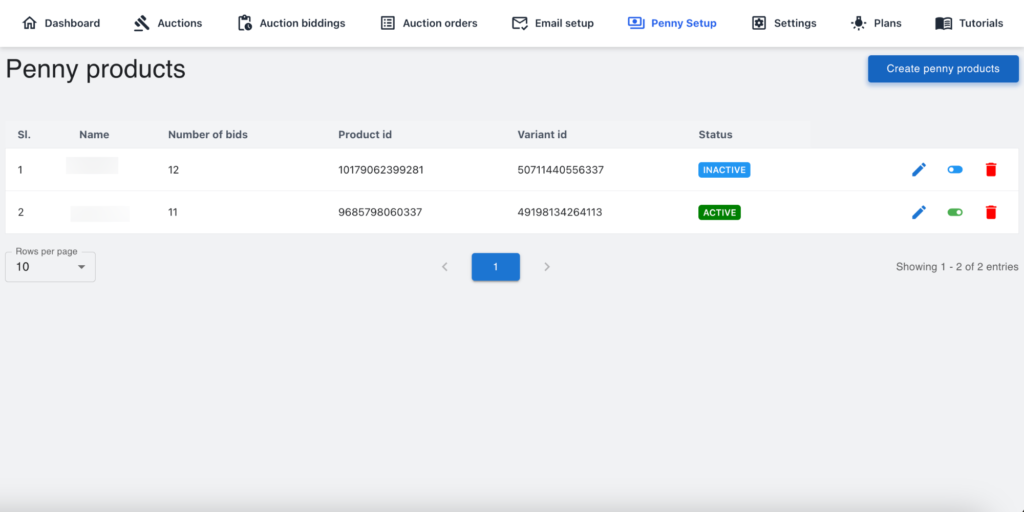
Penny Setup – Affordable and Fun
The Penny Product feature allows users to join auctions by paying a small upfront fee, after which they can place their bids.
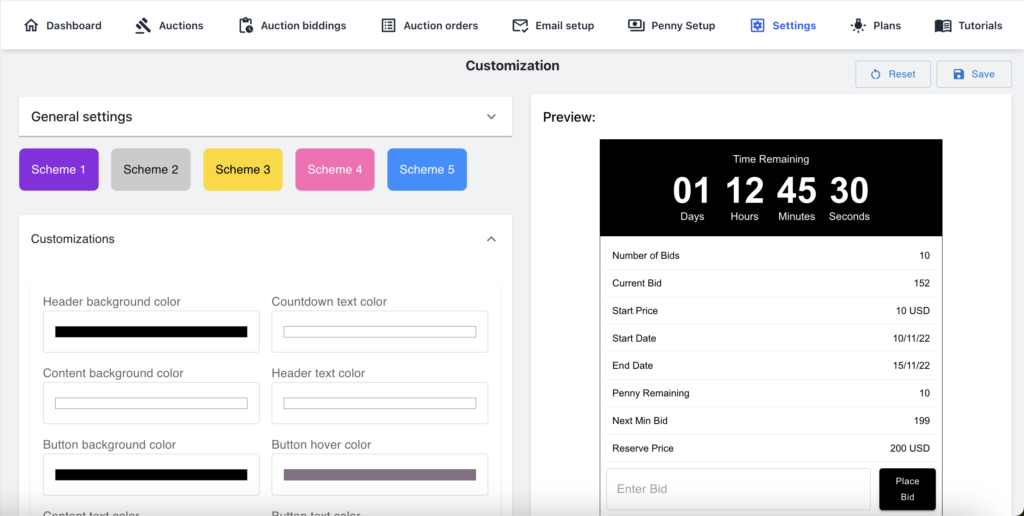
Settings – Customize Your Experience
The Settings menu allows users to adjust notifications, preferences, and auction preview details. This ensures that each user can interact with the platform in the way that suits them best.
Plans – Flexible for Every User
FlashAuction offers three flexible plans to fit every store: Free, Basic, and Pro—so you can choose the perfect option for your business needs.
Why Choose FlashAuction?
- All-in-one digital auction management.
- Transparent and secure real-time bidding.
- Multiple auction types, including a penny product system.
- Easy backend management with auction orders.
- Automated auction email notifications.
- Flexible plans for every kind of user.
With these features, the FlashAuction becomes a complete solution for competitive online bidding—bringing simplicity, transparency, and excitement to every auction.